Help / Publishing and series
Publishing and series
Put a puzzle on a public page in a numbered series that solvers can find, solve and rate.
What publishing does
Publish puts your puzzle on a public page at an address of the form /setters/your-handle/series/number. Solvers play it free in their browser with no sign-in. Public puzzles appear on Crosswords, in the archive and in the feeds, and your page has a profile, a list of series and a Follow button.
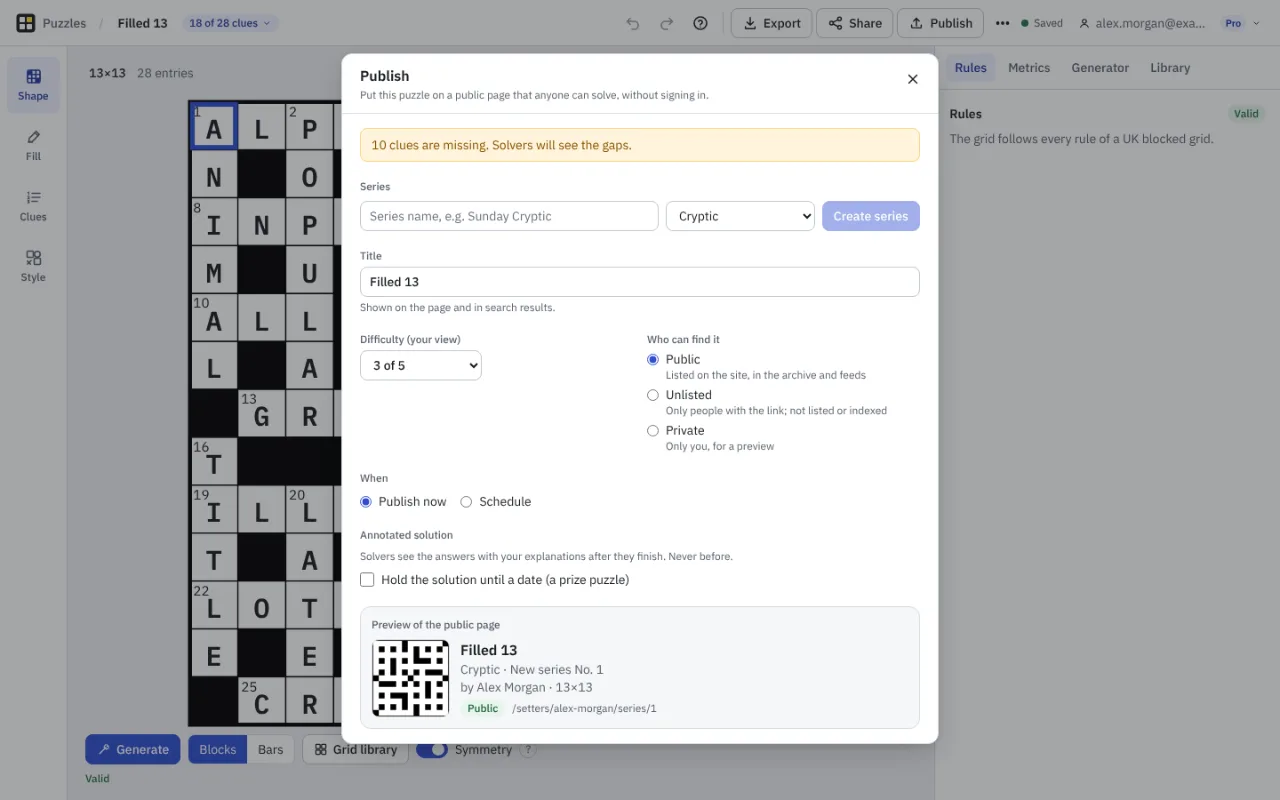
Publish a puzzle
- Sign in. Publishing needs an account.
- Choose Publish in the top bar. The first time, make a public profile: a handle of 3 to 30 letters, numbers or hyphens, a display name that can be your own or a pseudonym, a short bio of up to 300 characters and up to three links.
- Choose a series, or make one: give it a name and a kind (cryptic, quick, mini, jumbo or other). The next number is used unless you choose a free one.
- Check the title and your difficulty out of five, and choose who can find it and when it goes live.
- Choose Publish. Publishing again updates the same page and keeps its number.
Choices Pro adds
On Free you publish public puzzles in numbered series. Pro adds private puzzles (only you, for a preview), unlisted puzzles (only people with the link), scheduled puzzles (a date and time in UK time), and prize puzzles, where the solution is held back until a date (Free and Pro).
The annotated solution
Your clue explanations make an annotated solution. Solvers see it only after they have finished the puzzle, and never before the solution date you set. It is sent separately from the puzzle, so it is not in the page's source.
Before it goes live
An unfinished grid cannot be published, and Crossmith warns about missing clues and rule breaks. A puzzle is checked automatically against a list of words that need care; if something is held for a human look, it says so in My publications and you can ask for a review. Every public puzzle and profile has a Report button. Read the terms of use and the moderation and complaints policy.
After it is live
My publications in the account menu lists each series with numbers, dates, views, completions, likes and average difficulty, and lets you unpublish, publish again or delete. Only signed-in solvers can rate a puzzle, and only after they have solved it.
Something missing or wrong? Write to hello@crossmith.com.