Help / Clue database and AI suggestions
Clue database and AI suggestions
Keep every clue you write, reuse it, and ask for suggestions for quick-crossword clues.
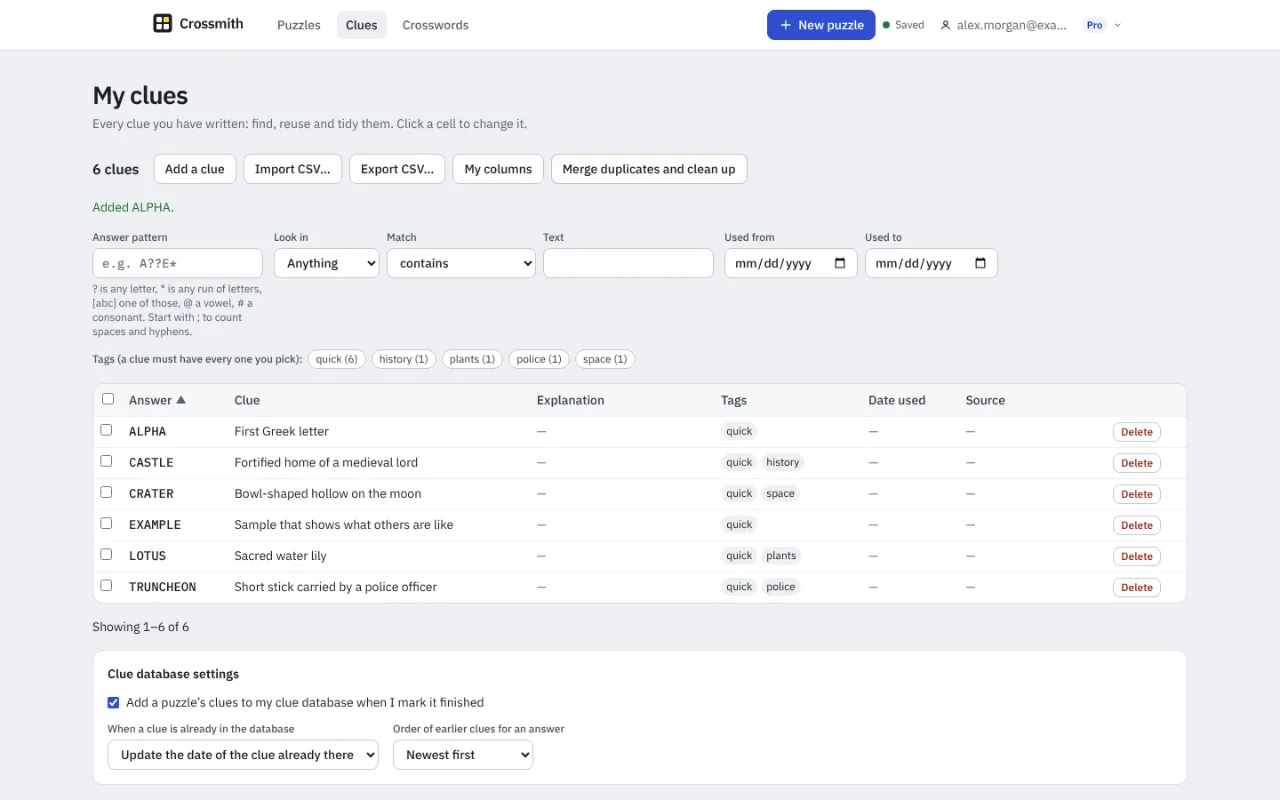
Your clue database
Every clue you write can be kept in your own clue database. The My clues page (Clues in the top bar) lets you search, reuse and tidy them. Add a puzzle's clues from the library, or mark a puzzle finished and its clues are added (a setting you can turn off).
Search by answer pattern, using ? for any letter, * for any run of letters, [abc] for one of those letters, @ for a vowel and # for a consonant, or by text, tags and dates. You can import and export CSV files, add clues by hand, and merge duplicates.
Reuse a clue
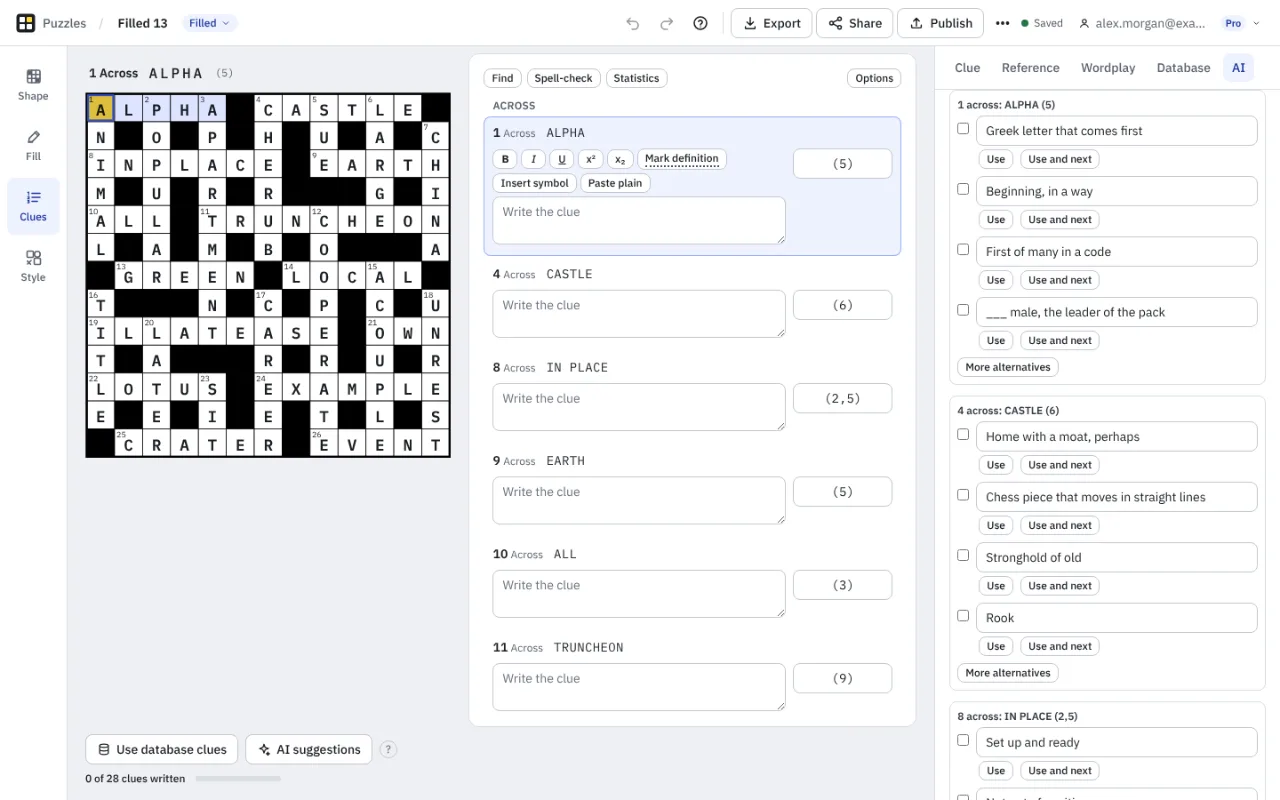
In Clues mode, the Database tab shows the clues you have used for the selected answer, with a Use button. Use clues from the database fills every empty clue it can in one step. The step can be undone with one Undo. Fill mode can also avoid answers you used in the last few days.
Signed out, your clue database lives in the browser. Signed in, it is saved to your account and follows you to your other devices.
AI suggestions
The AI tab in Clues mode suggests definition-style clues for quick crosswords and lists of theme words. You choose the style (such as Newspaper), the length (Mixed, Short or Longer), the spelling and how many suggestions per answer. Tick the suggestions you like and use them, or edit one first. AI does not write cryptic clues.
You must be signed in. The first time, Crossmith explains that the answers and your instructions are sent to Anthropic, which runs the model, and asks you to agree. Nothing is sent before you agree.
Free includes 20 AI answers a month and Pro includes 300. One answer clued is one answer used, a list of theme words costs five, and unused answers from a failed or cancelled request are handed back. The panel shows what is left and what a request will cost. Suggestions are a starting point: always read them, and change any that give the answer away.
Something missing or wrong? Write to hello@crossmith.com.