Help / Accounts and sync
Accounts and sync
Work without an account, or sign in to keep your puzzles, clues and templates on every device.
You do not need an account
Signed out, everything stays in your browser: the editor, the library, the player and the links you share. An account adds saving to the cloud, your puzzles on every device, short links, a clue database that follows you, and publishing.
Sign in
Choose Sign in. You can ask for a six-digit code by email, or continue with Google. There is no password to remember.
How syncing works
Signed in, your library syncs when the page opens, when you come back to it, when you reconnect, and about two seconds after each change. Your puzzles, templates, saved grids, word scores and clues are all kept in step. If the same puzzle was changed on two devices, the later edit wins and the other is kept as a copy, so nothing is thrown away.
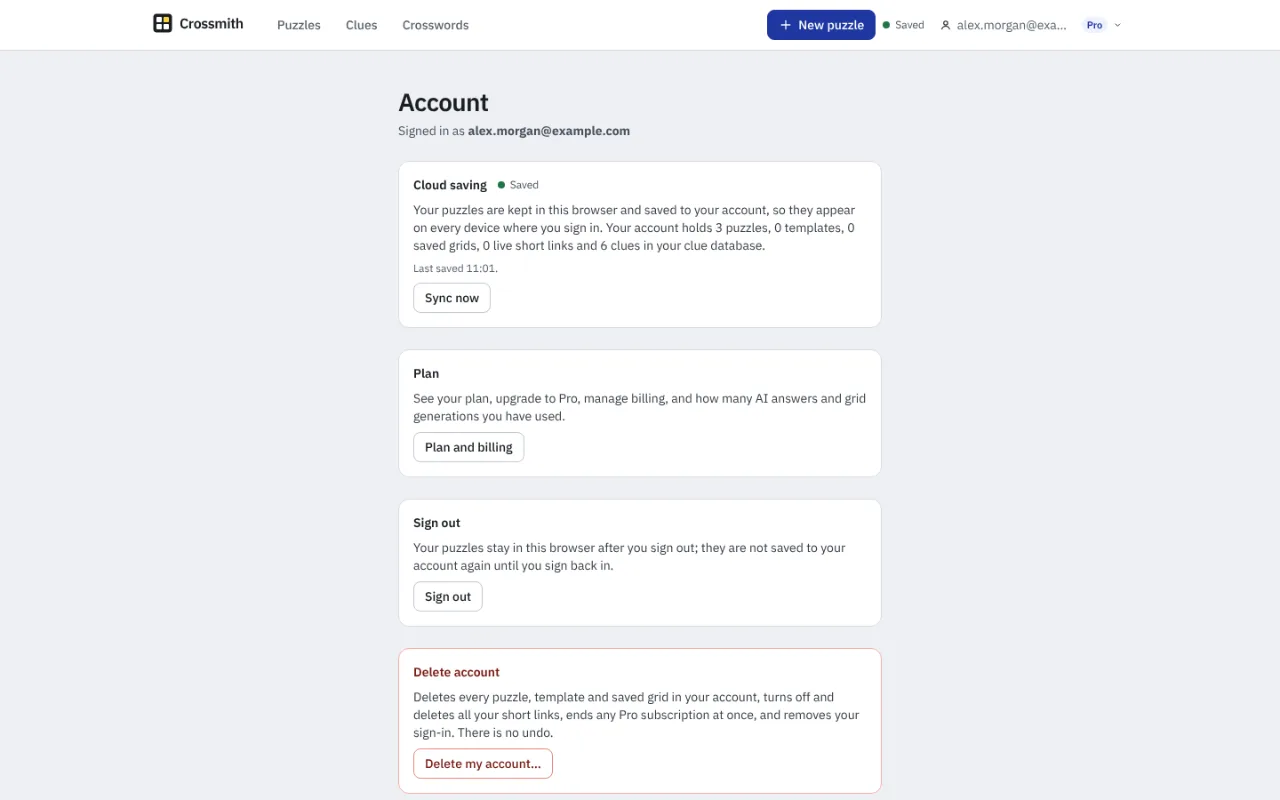
The badge in the top bar shows Saved, Syncing, Offline or Not saved. Offline, your puzzles stay in your browser and are sent when you are back online. Not saved means a save failed; your work is safe in the browser and it is tried again.
The first time you sign in with puzzles in the browser, Crossmith asks whether to upload them to your account or keep them on this device only.
Back up and restore
Back up all on the Puzzles page writes every puzzle to one file, and Restore adds them again. A backup is lossless, unlike .ipuz, and it is free on every plan.
Sign out and delete
Signing out leaves your puzzles in this browser; they are not saved to the account again until you sign back in. On the Account page, Delete my account deletes every puzzle, template and saved grid, every clue in your database, and your short links, ends any Pro subscription and removes your sign-in. It cannot be undone, so back up first.
Something missing or wrong? Write to hello@crossmith.com.