Help / Getting started
Getting started
Start a puzzle, shape the grid, fill it, write the clues and share the finished puzzle.
What Crossmith does
Crossmith is a crossword compiler that runs in your web browser. You choose a grid, fill it with words, write the clues, and then print, export or share the puzzle. It works on a laptop or a phone, and you do not need an account: your puzzles are kept in your browser. Sign in if you want them on every device (Accounts and sync).
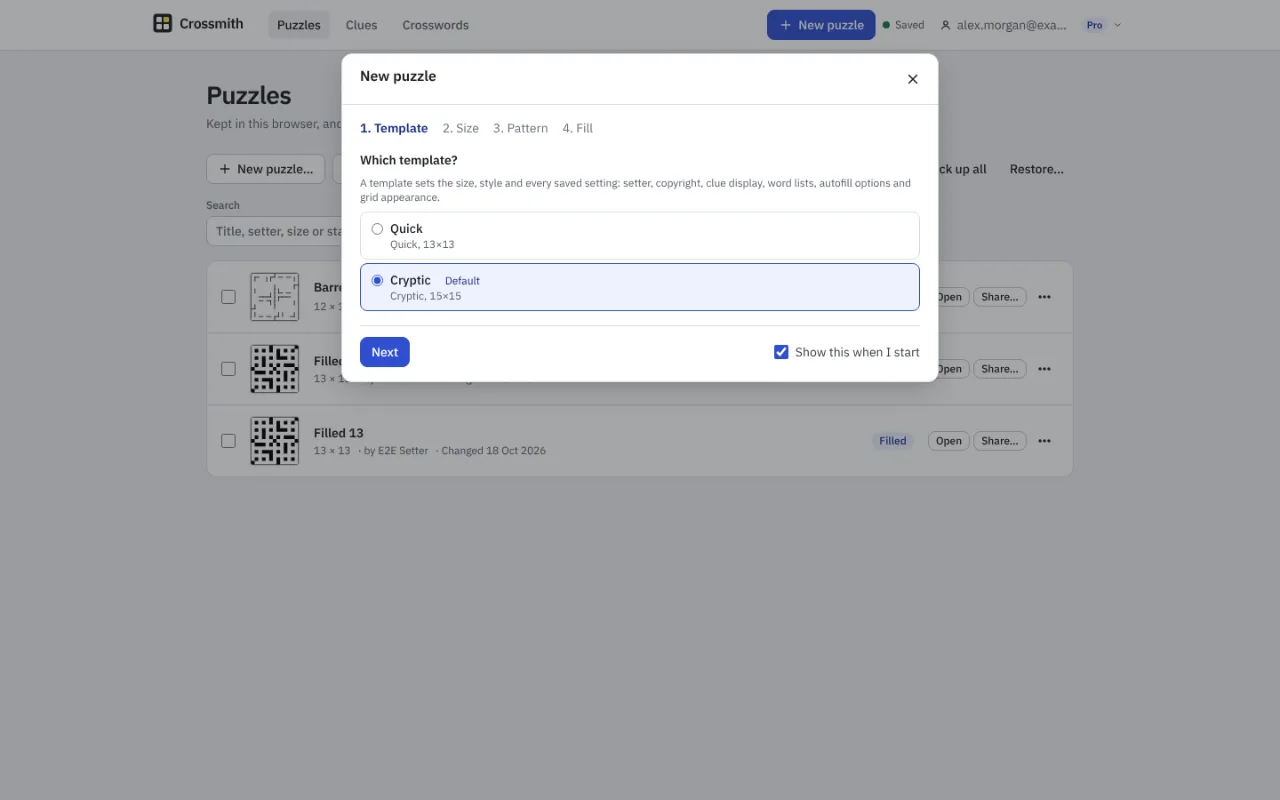
Start a puzzle
- Choose Start a puzzle on the home page, or New puzzle in the top bar.
- Template: choose Quick (13 by 13), Cryptic (15 by 15), or one of your own. A template sets the size, the style and your usual settings.
- Size: choose 11, 13, 15, 17, 19, 21, 23 or 25 squares each way, or type any size from 5 to 27.
- Pattern: choose a starter grid, one from your library, Generate, Fit theme words, or a blank grid to design yourself.
- Fill: choose By hand, Autofill now, or Guided fill. The editor opens on your new puzzle.
The four modes
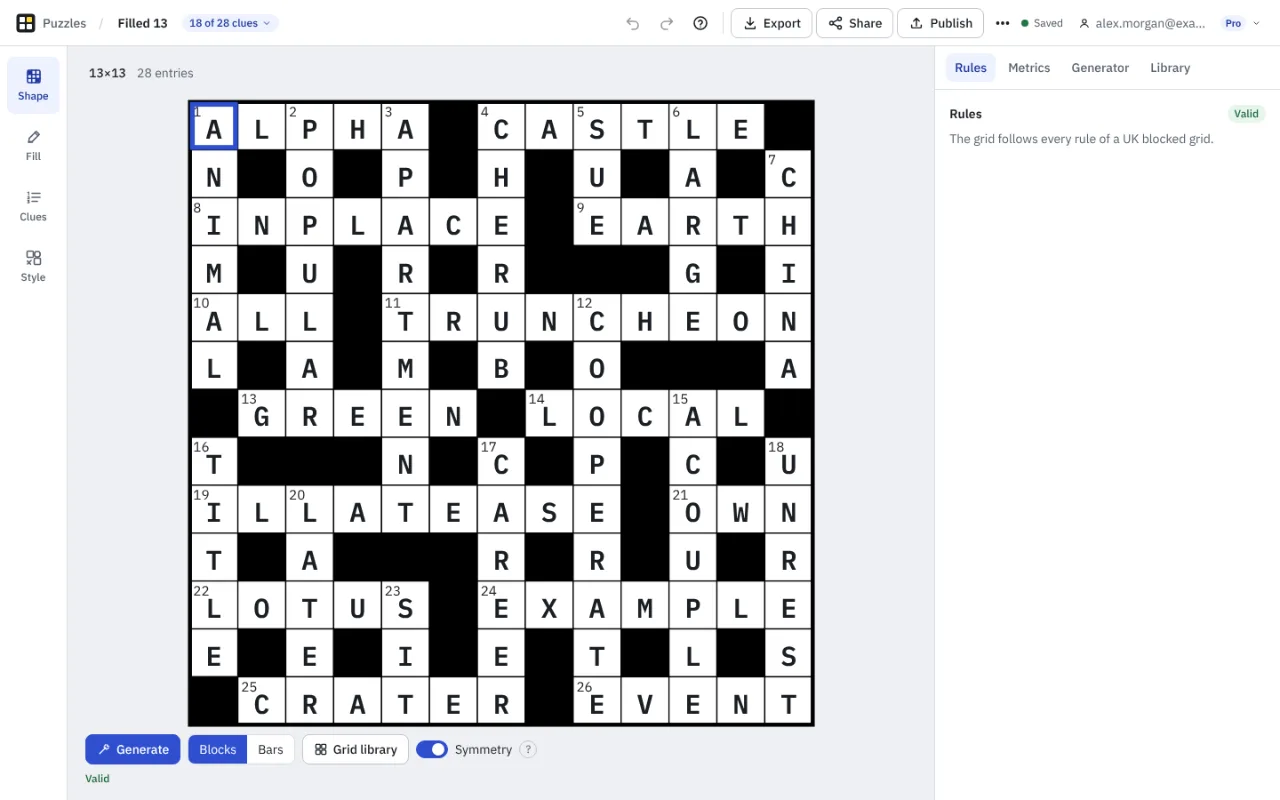
The editor has four modes, down the left of the screen (along the bottom on a phone). They follow the order of the work.
- Shape: draw the grid, or let Crossmith generate one. Crossmith checks it against the rules of a UK grid as you go.
- Fill: put words in the grid by hand or with autofill.
- Clues: write a clue for every answer, with a dictionary, thesaurus, wordplay tools and your own clue database beside you.
- Style: shade, circle and mark squares, and set how the grid looks in print and in the player.
Your work is kept
The editor saves as you go, in your browser. The Puzzles page lists everything you have started. Back up all writes one file with every puzzle in it, and Restore reads it back, which is the safe way to move puzzles to another computer without an account.
When the puzzle is ready
Export prints it or saves it as a file (Printing and exports). Share gives solvers a link, an embed code or a QR code. Publish puts it on a public page in a numbered series (Publishing and series).
If you get stuck
The question mark in the editor's top bar opens the help page for the mode you are in. The keyboard shortcuts page lists every key, and the glossary explains crossword terms. To ask us something, see Contact.
Something missing or wrong? Write to hello@crossmith.com.