Help / Printing and exports
Printing and exports
Print or save a puzzle as a PDF, a Word document, a picture or a file for other crossword software.
Open the Export window
Choose Export in the top bar. On a phone it is in the puzzle menu (the three dots). If clues are missing or squares are empty, the window says so, and you can still export: the files will have gaps.
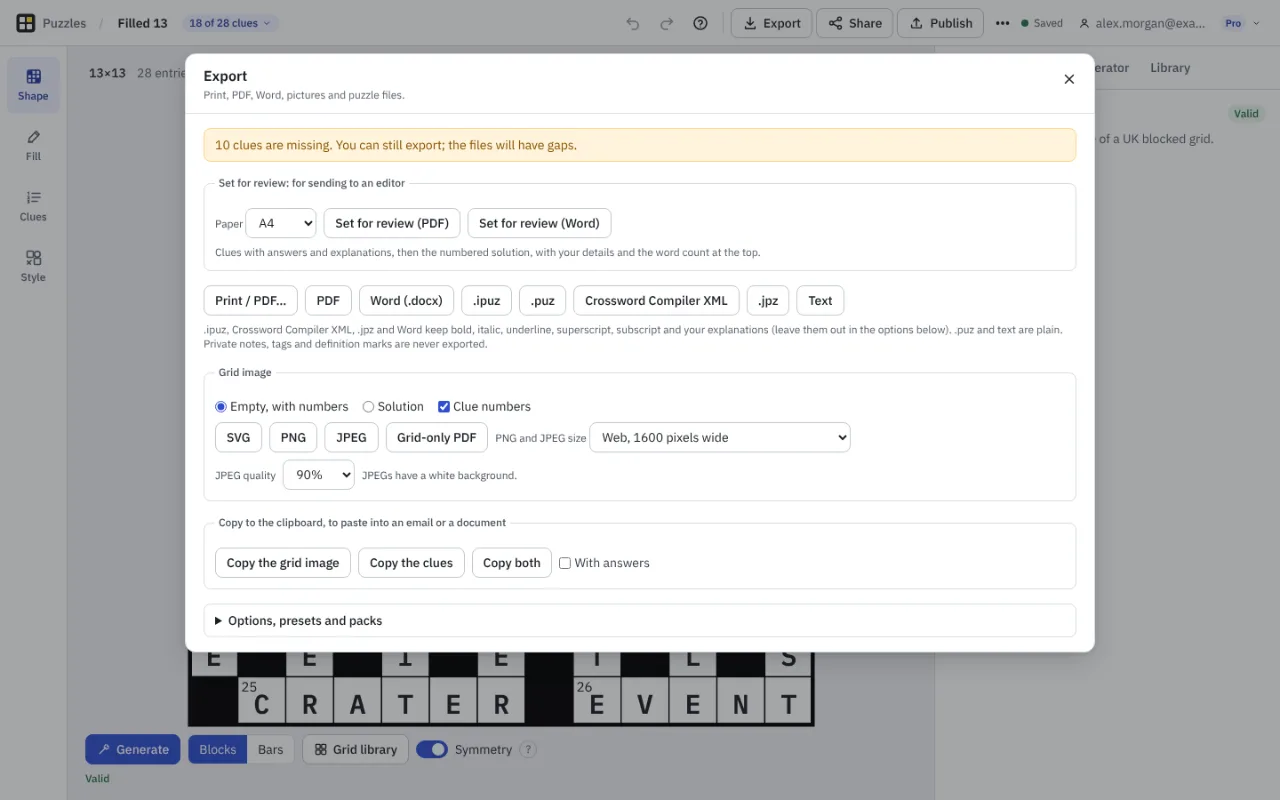
Print and PDF
Print / PDF opens a preview of the page, with the puzzle, the solution or both, and choices of grid size and clue text size. A 13 by 13 or 15 by 15 with about 28 clues usually fits one A4 page; longer lists carry on to a second. Print uses your browser's print window, and Download PDF writes the same pages as a PDF.
On Free, a printed or PDF puzzle carries a small Made with Crossmith line. Pro prints without it and adds two layouts: editor-ready, with answers and explanations, and a review sheet to send to an editor.
Word and puzzle files
Pro setters can save as Word (.docx), .ipuz, .puz (Across Lite), Crossword Compiler XML and .jpz, and can open .ipuz and Crossword Compiler XML files in the editor. Formatting such as bold, italic and your explanations is kept in .ipuz, Crossword Compiler XML, .jpz and Word; .puz and text are plain. Private notes, tags and definition marks are never exported.
Text, pictures and the library backup stay free.
Pictures and the clipboard
A grid image can be saved as SVG, PNG or JPEG, or a PDF of the grid alone, empty with numbers or with the solution, and PNG and JPEG sizes run from web size to print size at 300 dots per inch. Copy the grid image, Copy the clues, or Copy both puts them on the clipboard to paste into an email or document.
Many puzzles at once
On the Puzzles page, tick several puzzles and export them together as one PDF or as a zip of files, with names made from the title and date. Packs save a set of formats to repeat. Batch export and packs are part of Pro. Options, presets and packs in the Export window keep your usual choices.
Something missing or wrong? Write to hello@crossmith.com.